Prompt For your business
Is my PHP version fixed?
Find out in one line if your site's PHP has the October 21 security fix, and get a ready email asking your host to confirm it in writing.
What to do in 2 minutes
This is for the PHP security update of October 21, 2026 (CVE-2026-109618 and CVE-2026-109619). CISA lists both flaws as exploited by attackers.
- Find your PHP version. In WordPress: Tools, then Site Health, then Info, then Server.
- Compare it. The fixed versions are 8.5.12, 8.4.27, 8.3.36 and 8.2.35, or newer in the same line. A lower number doesn't always mean trouble, because some hosts add the fix without changing the number.
- On PHP 8.1 or older? The PHP project no longer updates it. Ask your host to move you to PHP 8.3 or newer.
- Ask your host in writing. Use the prompt below, or the short email under it.
Use this when you want a straight answer: is my site's PHP fixed, and what do I ask my host? Fill in two lines. You get a ✓ or ✗ verdict first, a ready email to your host, how to read their reply, and three checks you can do today without touching code.
Try it: is my PHP version fixed?
Check your PHP version against the October fix and get an email ready to send your host.
Copy and paste
FILL THIS IN (then copy everything into your AI chat)
My PHP version (the number from your host, like 8.3.20; type I don't know if you don't have it): 8.3.20
My host (your web host's name, like Bluehost or SiteGround): Bluehost
--- Don't change anything below this line ---
You are a calm website security helper for someone who isn't technical. My website runs on PHP, and my version and host are above. Help me make sure the October 2026 PHP security fix is on my site, in as few steps as possible.
Facts to use, don't change them: the PHP project's fixed versions for the October 21, 2026 security fixes (called PHP2Shell) are 8.5.12, 8.4.27, 8.3.36 and 8.2.35, or newer in the same line.
Give me:
1) The answer first, in one line starting with ✓ or ✗: my version, the fixed version for its line, and whether mine is at or above it. If "My PHP version" says "I don't know", give me the one-line path to find it instead and stop there. If mine is below, tell me to ask my host to update to that fixed version or later, and remind me that a lower number doesn't always mean trouble, because many hosts add the fix without changing the number.
2) If I'm on 8.1 or older, explain in one or two sentences why I should ask to move to 8.3 or newer.
3) A short, polite email to "My host", ready to send, asking them to confirm in writing that the fix is installed on my server.
4) "How to read their reply": 3 short lines. What a good answer says, and which answers mean I should ask again (for example, one that doesn't say the fix is installed on my server).
5) A 3-item checklist I can do myself today without touching code or contacting my host, like making sure I have a recent backup I can restore.
Don't tell me what my host does or has already done; you can't see my server. Don't ask me for passwords or logins, and don't send anything. I'll send the email myself. If you're not sure about something, say so. No general security tips beyond these steps, and stop after part 5 (no closing recommendation).
Example result
We filled in: My PHP version: 8.3.20. My host: Bluehost.
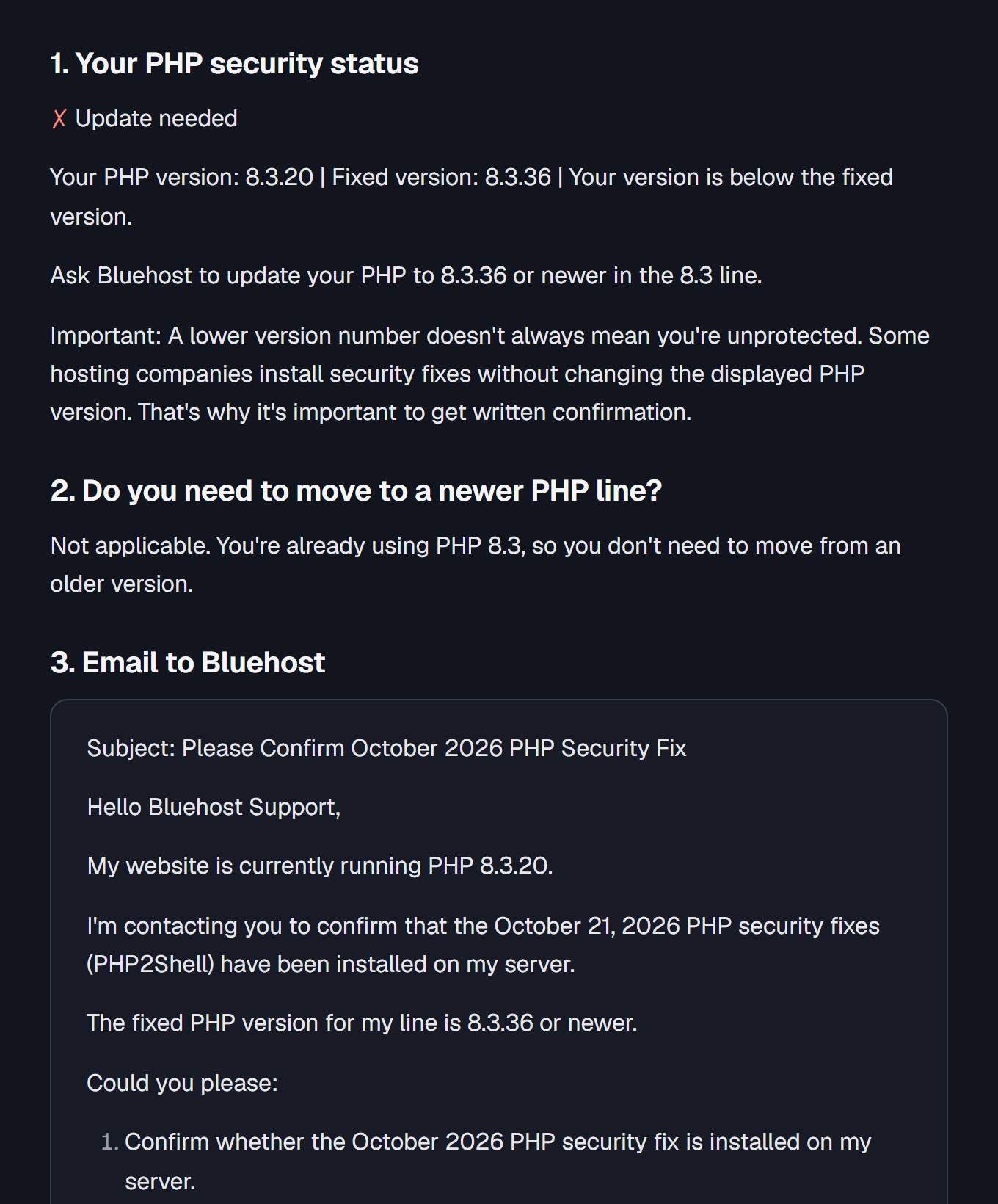
1. Your PHP security status
- No: Update needed
Your PHP version: 8.3.20 | Fixed version: 8.3.36 | Your version is below the fixed version.
Ask Bluehost to update your PHP to 8.3.36 or newer in the 8.3 line.
Important: A lower version number doesn't always mean you're unprotected. Some hosting companies install security fixes without changing the displayed PHP version. That's why it's important to get written confirmation.
2. Do you need to move to a newer PHP line?
Not applicable. You're already using PHP 8.3, so you don't need to move from an older version.
3. Email to Bluehost
Subject: Please Confirm October 2026 PHP Security Fix
Hello Bluehost Support,
My website is currently running PHP 8.3.20.
I'm contacting you to confirm that the October 21, 2026 PHP security fixes (PHP2Shell) have been installed on my server.
The fixed PHP version for my line is 8.3.36 or newer.
Could you please:
- Confirm whether the October 2026 PHP security fix is installed on my server.
- If it is not installed, update my server to PHP 8.3.36 or newer.
- Confirm in writing when the fix is installed.
If the fix has already been applied without changing the displayed PHP version, please confirm that specifically.
Thank you for your help.
Best regards
4. How to read their reply
- Good answer: They confirm the October 21 security fix is installed on your server.
- Ask again: They only say your PHP version is supported or up to date without confirming the specific fix.
- Ask for an update: They confirm the fix is missing or cannot verify that it is installed.
5. Your 3-item checklist for today
Today's checklist
0 of 3 complete
Check that your website has a recent backup.
Make sure you know how to restore that backup if needed.
Check that you can access your Bluehost hosting dashboard and locate your website's PHP version setting.
No AI handy? Send this email
Copy it into a support ticket from your own account, with your usual bookmark, not a link from an email.
Hi, please confirm in writing that the PHP running my site, [your website address], includes the fixes for CVE-2026-109618 and CVE-2026-109619 (PHP2Shell): version 8.5.12, 8.4.27, 8.3.36 or 8.2.35, or newer in the same line. Please also confirm the PHP workers were restarted after the update, and let me know if anything on my account is still waiting for the fix. Thank you.
On a fully hosted website builder? The company runs its own servers, so send their support the same question.
How to read their reply
Scroll to see every column
| Their reply says | What it means | Ask next |
|---|---|---|
| Your site, the fixed version (or the supplier notice), and that it's running now | Good answer. Keep the ticket. | Nothing |
| "Not affected," with a reason | Fine, if the reason is about your site | Nothing, or "Which part of my setup makes it not affected?" |
| A temporary safeguard, or "scheduled" | Not fixed yet | "When will you confirm the fix is installed on my server?" |
| "We take security seriously" or "your WordPress is up to date" | Doesn't answer the question | "Is the fixed PHP version running on my site now?" |
Why ask for this much? The PHP project tells people who get PHP from a Linux distribution to check with that vendor, and Debian explains it adds fixes to older version numbers ("backports"), so the number alone can mislead. Debian also notes a running service may need a restart.
Before you paste anything
Don't paste passwords, keys, payment details or account numbers into an AI chat. The AI can't see your server, and it won't know what your host did. Only your host can confirm that.
What this can't do
It can't log in to your hosting, prove the live server is fixed, or tell you whether your site was broken into before the fix. If you think it was, use your host's incident process.
Sources and editorial notes
Sources and review date
Read on November 3, 2026 unless noted:
- PHP security advisory, October 21, 2026: fixed versions and "PHP 8.1 and older no longer receive updates from the PHP project."
- PHP supported versions
- CISA alert on the PHP flaws: lists both flaws as known exploited (wording read November 2, 2026; page loads November 3).
- Debian security FAQ: backported fixes and service restarts.